WordPress’s Gutenberg editor offers a pleasant user experience similar to Medium, but I find it frustrating that advanced options have been quietly hidden in the pursuit of simplicity. After a year-long writing hiatus I discovered something worth sharing: Microsoft Word can publish directly to WordPress.
Step 1: Create a New Blog Post Document
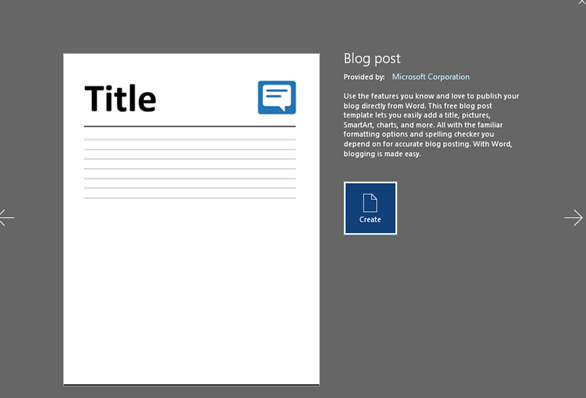
Open MS Word (version 2007 or later) and look for the blog post template. You will find this in “New” under Templates if you haven’t used it before. A Create button appears once you locate it. Click it to open a new blog-formatted document.
Step 2: Register Your Blog
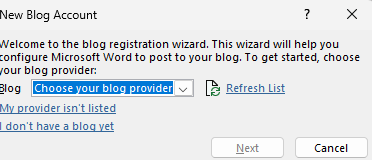
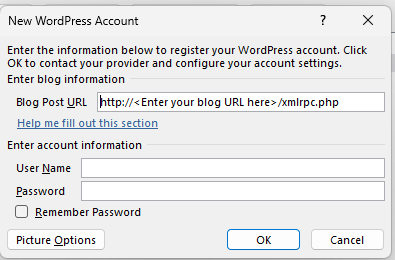
When prompted, select WordPress from the available blog providers. You will need your site URL and login credentials. Check “Remember Password” to avoid repeated authentication prompts every time you want to publish.
Step 3: Write and Publish
After composing your content, simply click Publish. The post uploads automatically to your WordPress site using the credentials you registered. It appears as a draft or published post depending on your settings.
Why Bother?
For people who spend most of their day in Word, this keeps you in a familiar writing environment. Spell check, tracked changes, and commenting all work as expected. It is not perfect — complex formatting sometimes gets mangled — but for straightforward text-heavy posts it works well enough to be useful.